
Read this article in: German
Several things must be done to allow our simulated phishing emails reach your employees' inboxes (also known as whitelisting or allowlisting). In addition, this will enable your employees to access the learning pages they are supposed to see if they do click on one of these emails.
Following our instructions ensures that our simulated phishing emails - and only those - can bypass your email filters. Your next steps depend on whether you're using Microsoft 365 or Google Workspace, and whether you plan to enable Direct Message Injection (DMI). We strongly recommend DMI, as it makes the process considerably more convenient and the result is more resilient.
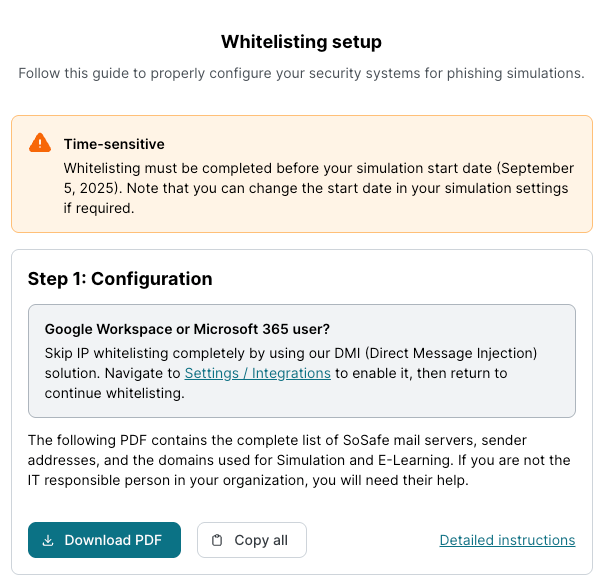
As shown in the screen, the easiest way is to navigate to Settings / Integrations and set up your DMI connection.
You can find more details here:
Direct Message Injection (DMI) setup guide for Microsoft 365/Entra
Direct Message Injection (DMI) setup guide for Google Workspace
Once you have set up the Integration, return to the onboarding dashboard to finalize and test your whitelisting.
As an alternative to DMI, you can use traditional whitelisting. This approach involves configuring your email system to recognize and allow messages from specific IP addresses, domains, or senders. While it can be effective, it typically involves a more complex setup, ongoing maintenance, and a greater risk of our emails being quarantined or flagged as spam.
You can find the relevant instructions here:
Microsoft 365 - Whitelisting / DMI
Google Workspace - Whitelisting / DMI