
Read this article in: Deutsch
Update company details
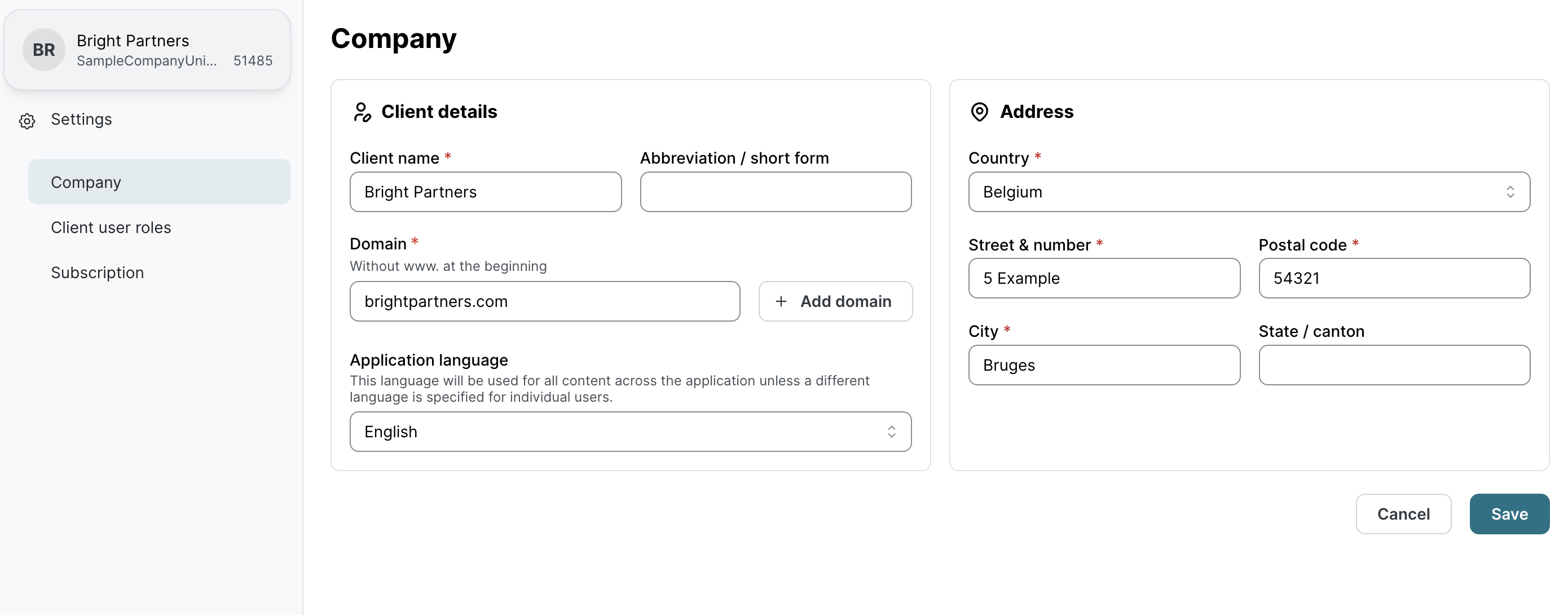
You can easily update key company details, such as the name, domain(s), address, and default language, at any time to ensure that company information remains accurate and up to date.
-
On the Dashboard page, click Settings on the bottom left, and then click Company.
-
On the Company page, change the required fields and click Save.
Note: If you update the Domain(s) list, please update all users to guarantee their email addresses match the newly configured domain(s).