Read this article in: Deutsch
Adding individual users
Instead of importing users via an Excel file, you can also create individual users one by one.
-
In the Manager, navigate to User management / Users.
-
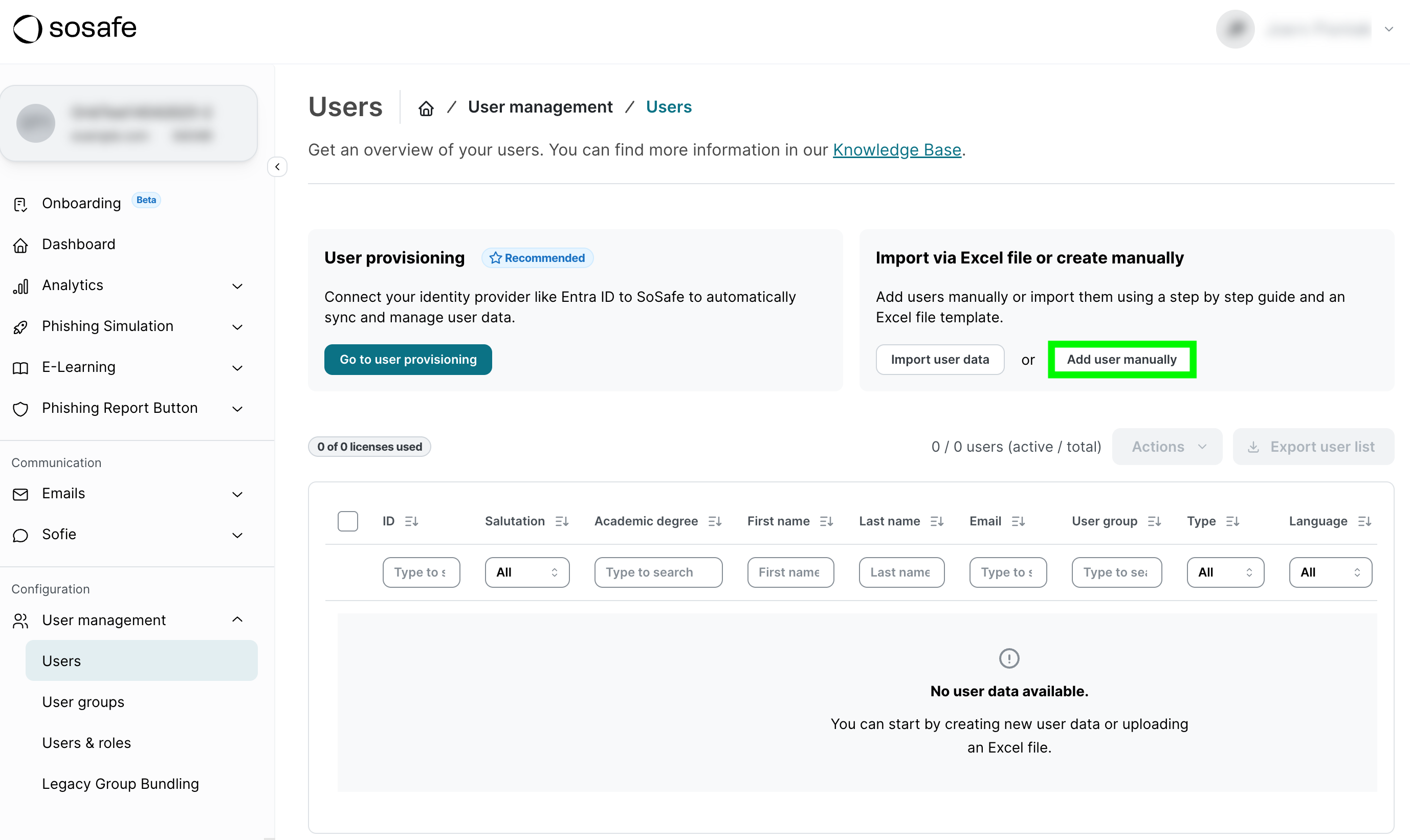
Select Add user manually.
-
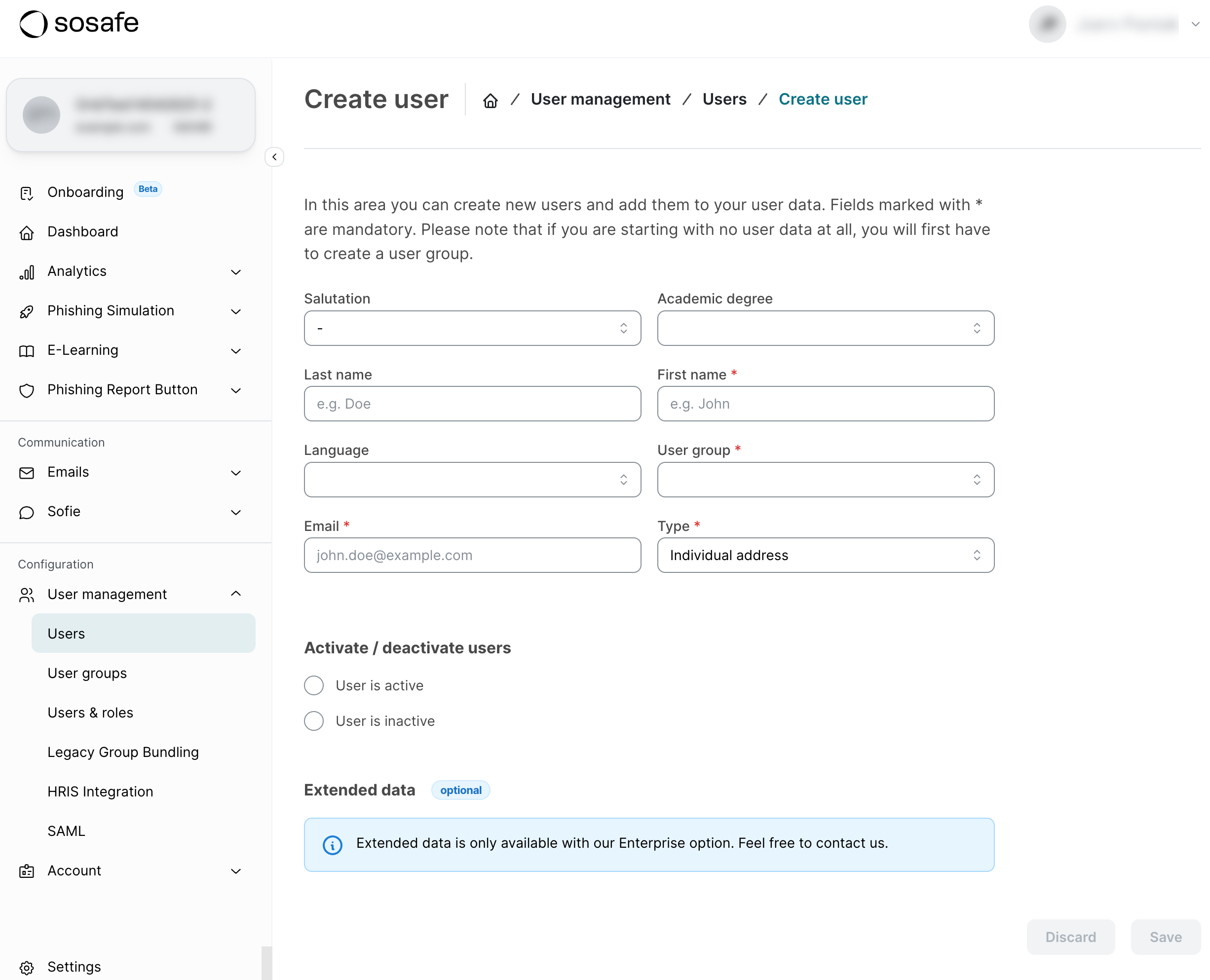
Enter all user data here. Mandatory fields are marked with a red star. Create the user by selecting Save.
Editing individual users
-
In the Manager, navigate to User management / Users.
-
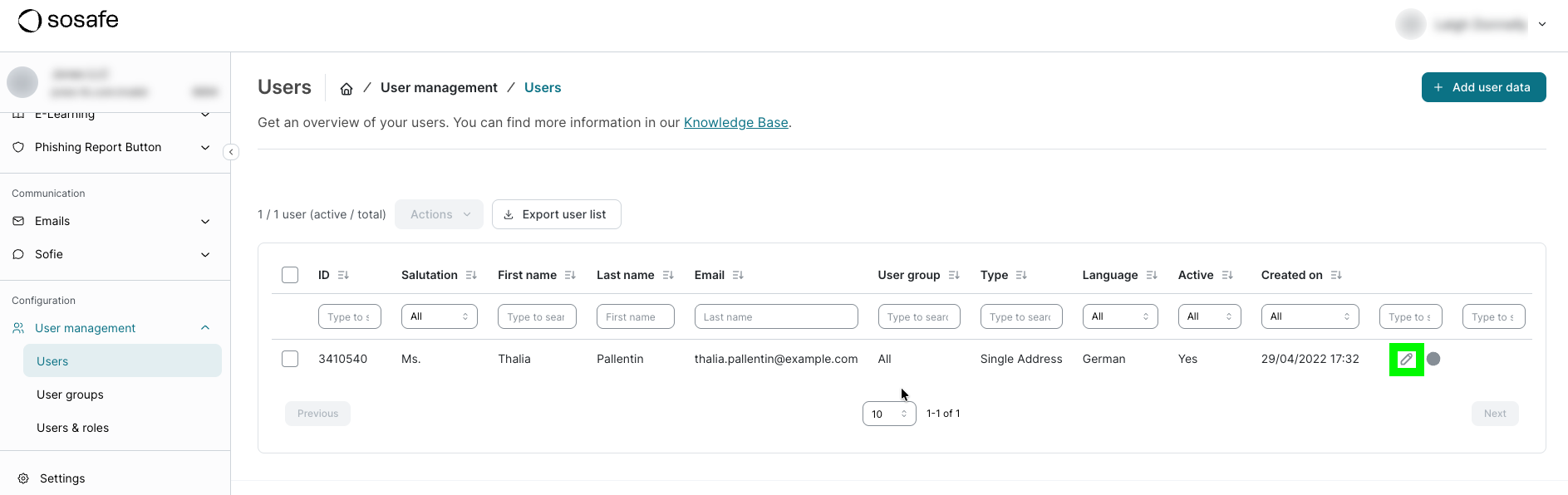
Identify the user you want to edit. You can use the filters in the table to find them. In the row for said user, select the pen icon.
-
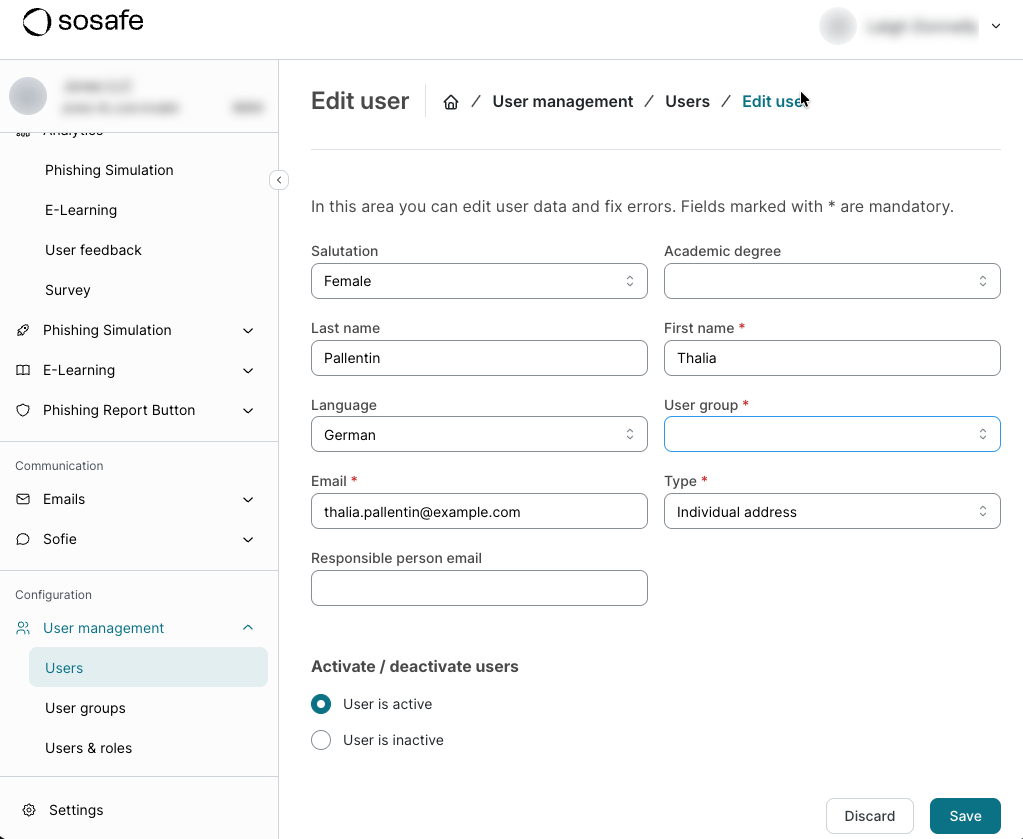
Make the desired changes and select Save when you’re done.