
This article explains how to ensure essential SoSafe system emails, such as password resets or invitations, reach your users reliably.
Prerequisites:
-
Administrator access to the SoSafe Manager (https://manager.sosafe.de/).
-
Access to your organization's email gateway or filter settings.
Step-by-Step Instructions:
-
Log in to the SoSafe Manager
-
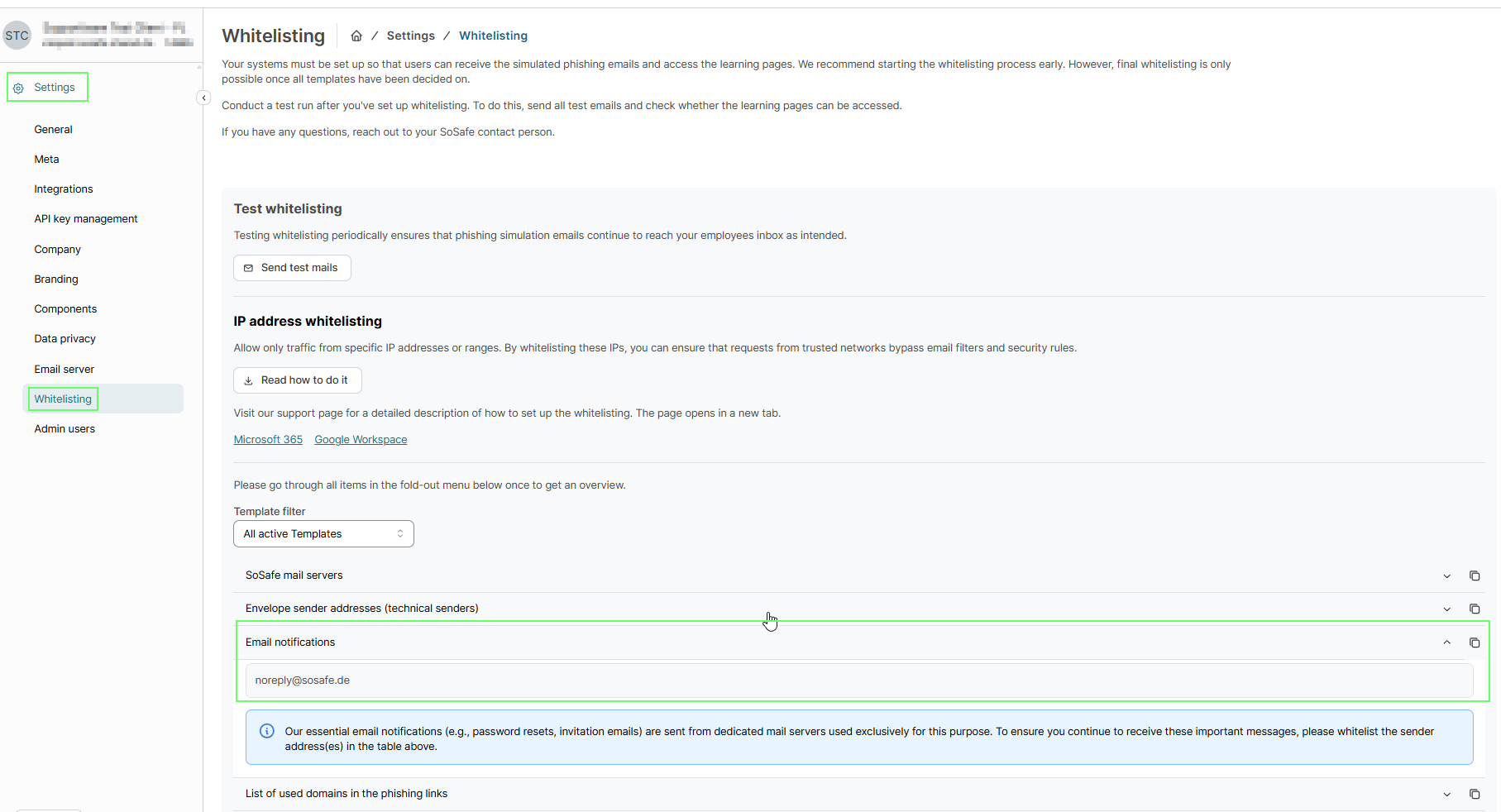
Navigate to Settings / Whitelisting
-
Expand the Email notifications menu
-
Identify the sender address listed (e.g.,
noreply@sosafe.de) -
Add this address to your safe sender whitelist
Further Informationen:
These notifications come from dedicated mail servers separate from the phishing simulations. Whitelist the sender address to ensure delivery of transactional emails like password resets.
The IP addresses in the SoSafe Manager apply to simulated phishing emails. To ensure delivery, follow the Manager's Settings / Whitelisting instructions.