
Forwarding reported emails to an abuse mailbox

Read this article in: German
Overview
You can configure the SoSafe Phishing Report Button to forward reported emails to an abuse mailbox. This is especially useful if you use certain sandbox systems that require forwarded emails with a reference to the original email instead of copies.
Compatibility
Outlook: all APIs are supported
Google Workspace: not supported
How it works
When users report suspicious emails, the Phishing Report Button can forward these message to a specified abuse mailbox. Your sandbox system of choice can then monitor this mailbox and analyze incoming emails for threats such as phishing links or malware. If a threat is detected, it can automatically quarantine the corresponding email and remove any forwarded copies from user inboxes.
Setup
Set up an abuse mailbox in your security solution. For detailed instructions, refer to your provider’s documentation.
In the SoSafe Manager, navigate to Phishing Report Button / Report handling and scroll to the Set up abuse mailbox section. Activate the toggle.
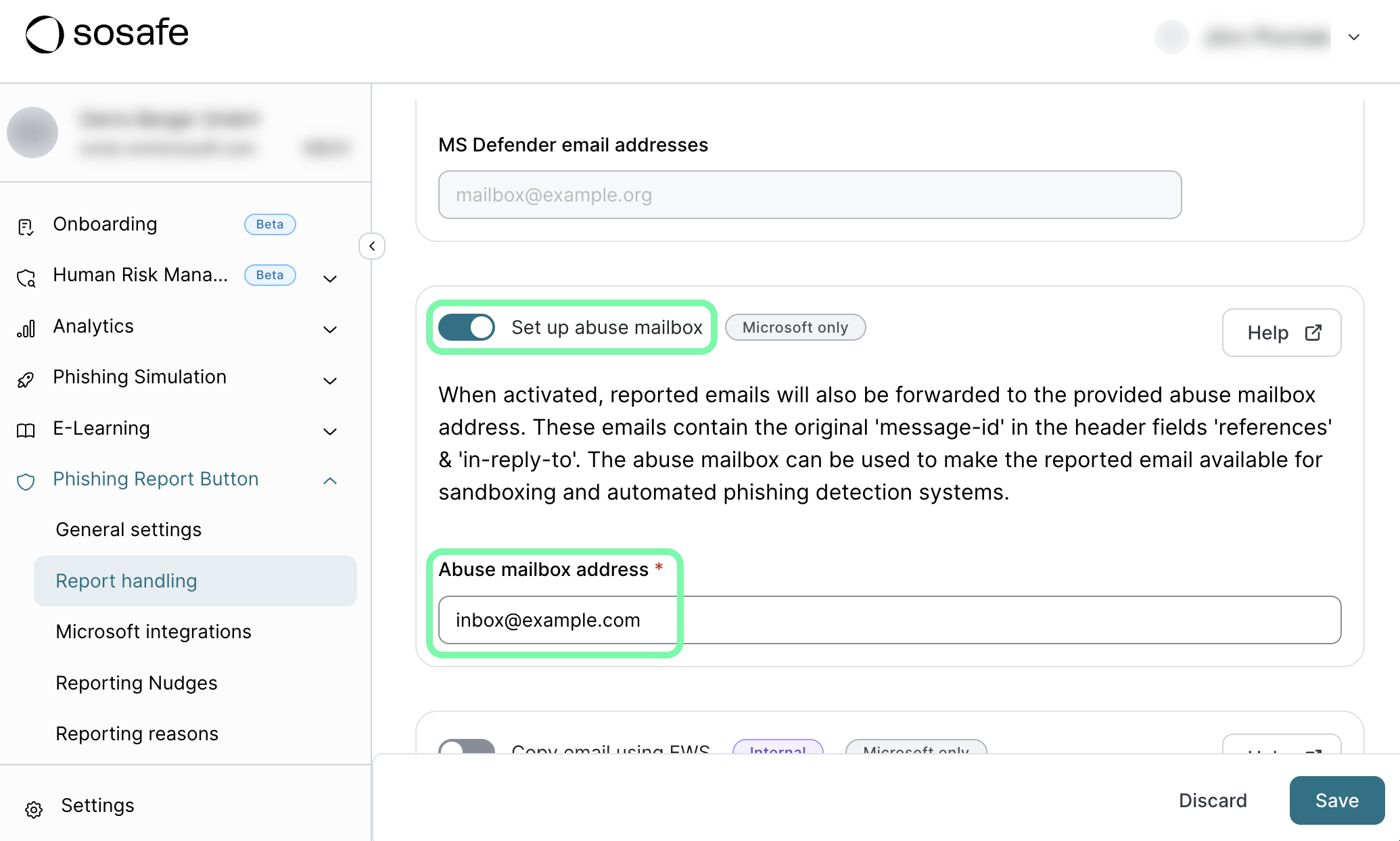
Enter your abuse mailbox address and select Save to confirm.

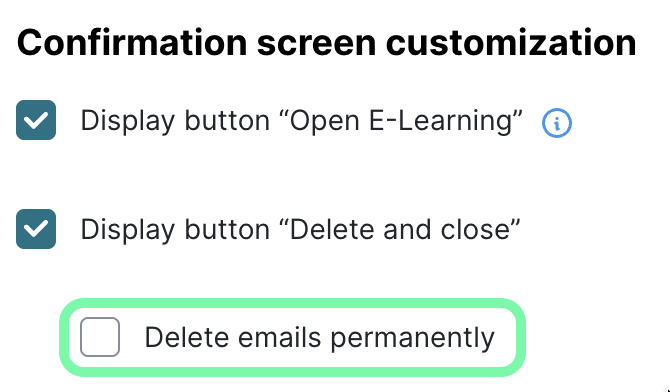
Important: Make sure that the option Delete emails permanently after reporting, available under Phishing Report Button / General settings, is not checked. If emails are deleted, sandbox systems cannot retrieve or analyze them.
Technical details
Forwarded emails include special headers (
referencesandin-reply-to) that link back to the original email. This allows security tools to track conversations and analyze the message trail.The forwarded email does not contain the original email as an attachment.
Instead, the forwarded email contains basic plaintext metadata of the original email.